Showing posts with label Infotainment. Show all posts

Wednesday, April 26, 2023

Installing a modern stereo in the old Miata for Apple CarPlay

Hey! Long time no post! Yes, I'm still here - alive and kicking, and the Miata sometimes gets a little attention. Nowadays it's garaged 600 miles away from my main digs and I only get to see it a few months of the year, but when I am with it, the magic is still there. I actually drive it more miles per year than I did for the last five years before I got it painted and fixed it up.

Anyhoo, when I'm at our place in Florida, I get really bored and need things to do, because...well, just because. So last year I decided I would update the technology stack inside the Miata from 1990 tech to 2022 tech. In our other car, we have Apple CarPlay from the factory and we do use it quite a bit for navigation and streaming music and podcasts. So I figured that'd be a nice upgrade for the Miata, even though I never take it on long trips. I still need navigation around town sometimes and well... see above - I was bored. So the pictures here in this blog post show what I did. It's a Pioneer DMH-W2770NEX. It is pretty no-frills, actually. It just has basic stereo receiver, bluetooth, and wireless CarPlay functions (Android Auto, too but I don't use that).

As I am a terrible documentarian, these photos are a bit jumbled and not very well conceived. BUT they do sort of show what I did so let's just go with it. I was able to use the factory stereo bracket to mount this unit. That was just luck. So I didn't need any sort of adapter

As you can see, the NA Miata's stereo mount opening is not really double-din. It's a bit taller so there's a gap under the stereo unit. The following pics show how I dealt with that. For transparency, I didn't dream this up on my own. I found a YouTube video and just copied what they did.
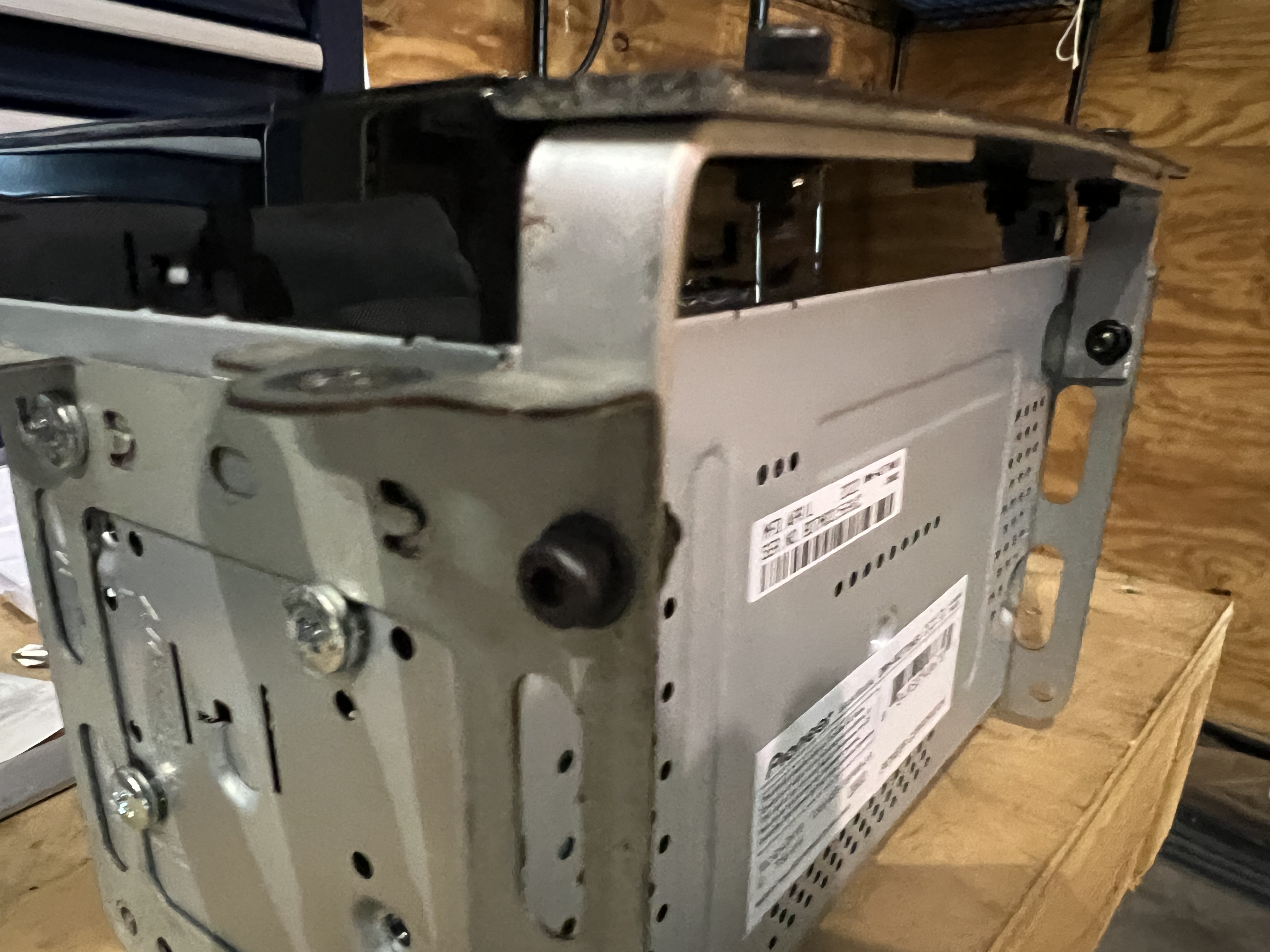
I fashioned some little brackets from aluminum stock to attach to the factory bracket, and a faceplate filler from some bigger stock Plasti-dipped for color. I bought some small cap head screws with washers and bolts to hold it all together and there you go. You can see how the factory bracket isn't really a perfect fit for this stereo, but I was able to get one bolt in a good hole, and two others were a little off but overlapped the bracket just enough to get a hold on it. It's actually quite solid and I'm really glad I didn't have use some stupid adapter kit.

Above, another pretty good view of the three machine screws holding the unit to the factory bracket.

The cap head machine screws with a washer actually look pretty factory. I like it when things don't look too janky. I mean a little janky is ok, but not TOO janky.
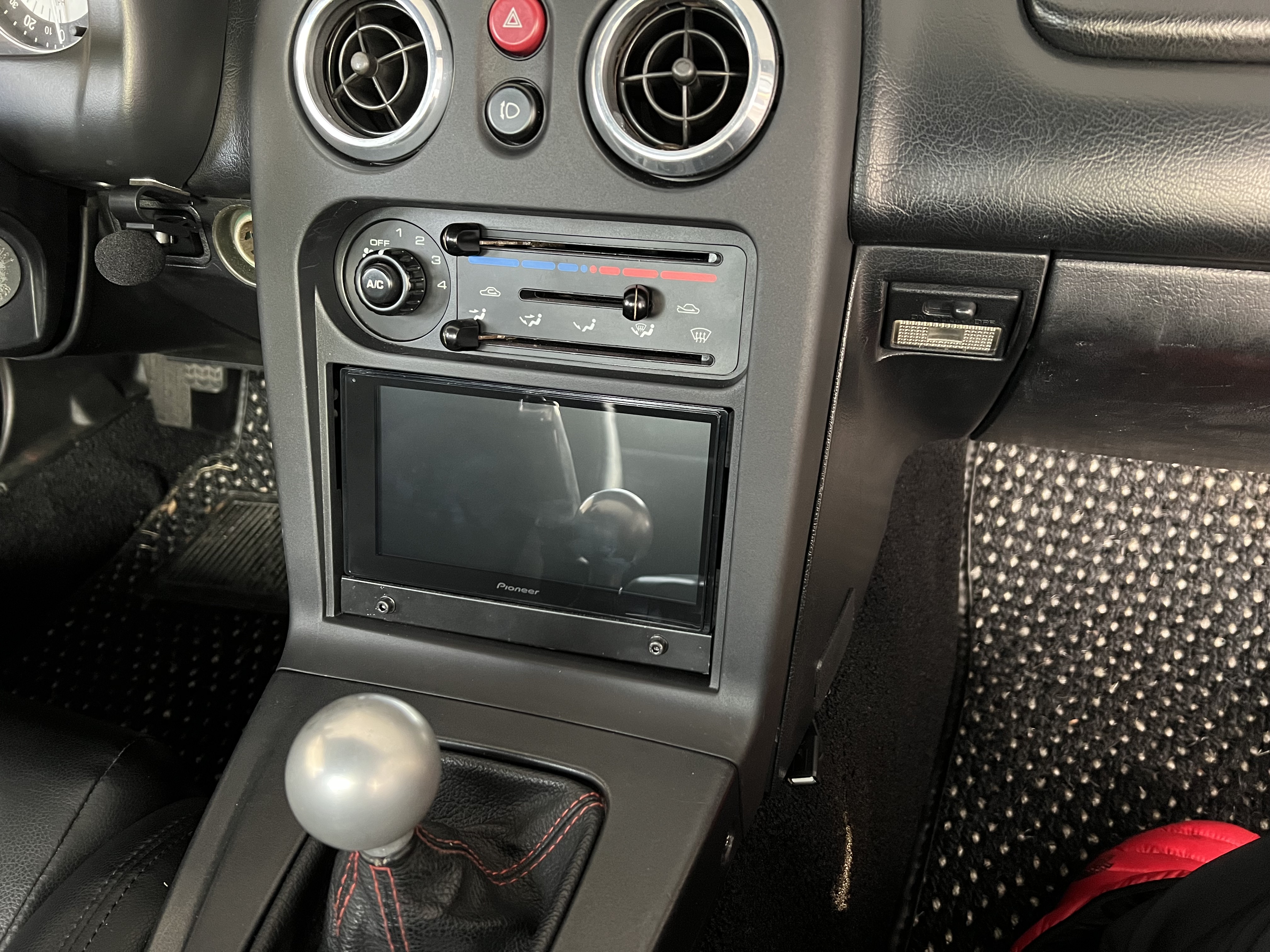
Hey, here you can see the Coco mats.

Yeah... it's a little janky.

It's not perfect and I marred the plasti-dip finish a little when installing it, but it's perfectly acceptable.
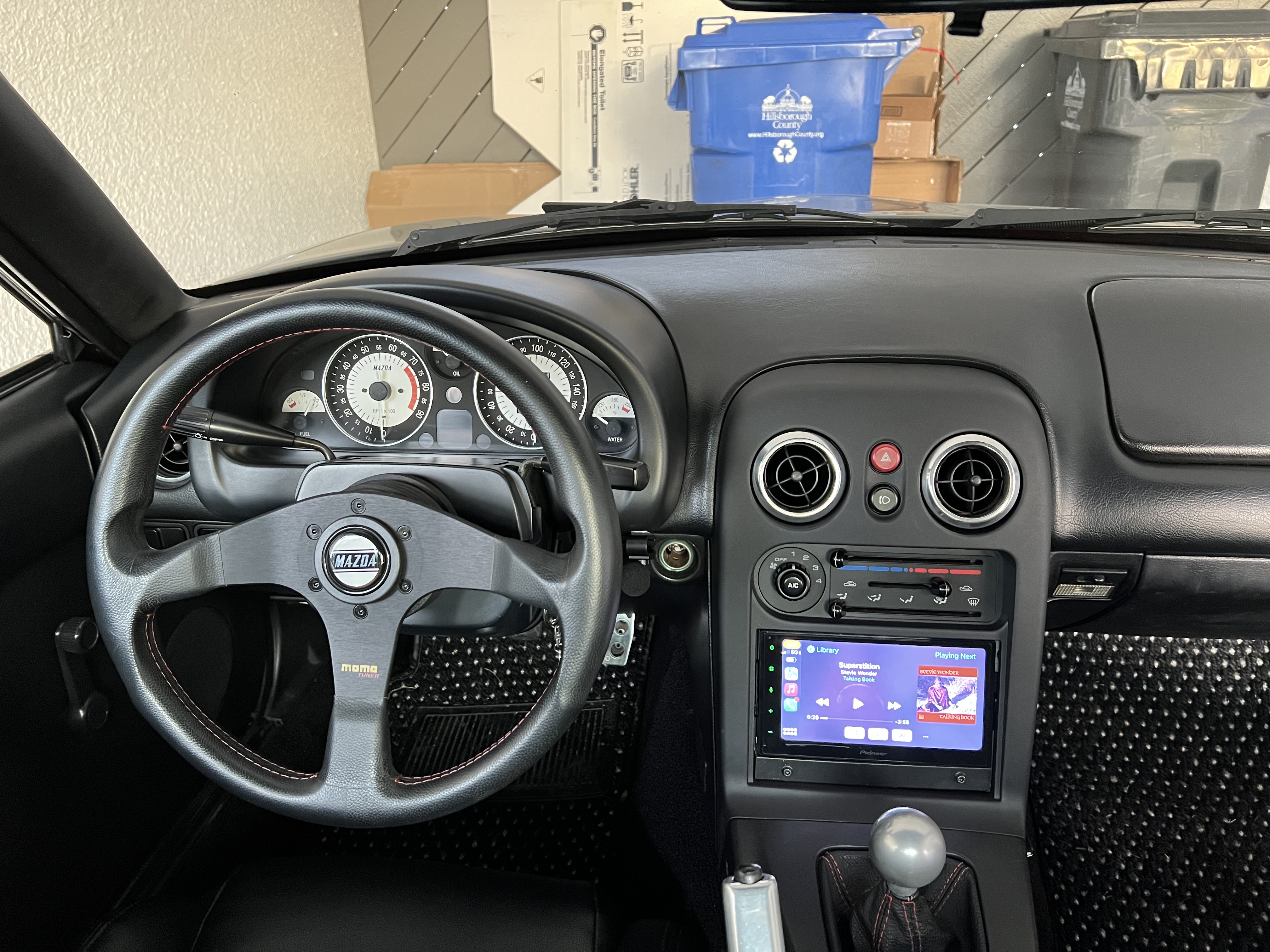
It pretty much looks like it belongs there, so I'm happy.

Once this was in, I thought it sometimes sounded fine, and other times sounded pretty bad, so I opted to replace the 25 year old Pioneer door speakers with some slightly larger (6.5 inch) Kenwood speakers. It improved the sound a bit, but it's still pretty sad. I've found that when streaming audio from Apple Music to this unit, sometimes it sounds really crappy! If I'm playing songs stored directly on my phone it's quite a bit better. So I'm not sure why but it seems like sometimes the streaming quality drops. My phone is a current model iPhone so maybe it's the wireless CarPlay connection. I'll try it wired and see if it makes a difference, but in any case, I think this stereo would benefit greatly from an amp and maybe a small sub. It's not a big priority for me since I don't really need to listen to music in this car, but maybe the next time I'm bored and need something to do I'll address it.

Sunday, November 16, 2014

Updating 2014 Mazda3 Infotainment System

So the Mazda3s Grand Touring that we bought back in February has been great. Honestly it's one of the best cars I've ever had. The amount of performance, luxury, and tech Mazda packed into this car for 26 grand is astounding. Our only complaint has been how flaky the software on the infotainment system is. Now, I realize the absurdity of what I just said. What car needs an infotainment system in the first place? We got along for more than a century without them. Do you really need a system that integrates radio, satellite radio, internet-audio, navigation, backup camera, and telephone functions into one system with a touch screen, voice control, and input-wheel/button control? No you don't but it sure is fun to use, convenient, and useful. So, given that we don't need it and would have bought the car even without it, it's extraordinarily frustrating when it doesn't work right! The 3 is my wife Jen's primary transport, and she complains bitterly when her car acts up. It should just work.

The infotainment software on the 3 is a linux-based operating system that runs on an ARM processor. The UI is customized for Mazda by a third-party supplier (Visteon, at the time of this writing). As delivered on our car in February 2014, it had already been updated at the port to version 25.00.400. Even after the update this software was not quite ready for prime time! We experienced random crashes, reboots, blue screens, flickering display, stuttering audio, and all kinds of weird glitches. Don't get me wrong - most of the time it worked ok. It's just infuriating when it randomly craps out. Updating the software would be covered under the warranty, but requires a trip to the dealer (who told me they couldn't do it on a Saturday) and we just haven't had the time to mess with it. So the frustrations continued.

As with most small sporty cars, there is a vibrant online community for the newest Mazda3, and I have been a frequent visitor to Mazda3revolution.com. The guys there have well documented the problems with the infotainment system, and have been working on a way to hack into the software so that customizations are possible. I don't have much interest in that - I just want it to work right, but along the way those guys have worked out how to update the software at home without a trip to the dealer. Bingo! Just what I was waiting for. They even put up a wiki at MazdaCMUhacks.com, and the instructions for doing the update are at that page.

Now, you do need the update files. The latest version as of this writing is 33.00.500. This is the US version of the update. If you're outside the US, find the version for your region.
That should get you a file called "Mazda33UpdateUSA.rar". If you don't have a program to unpack a 'rar' file, download WinRar for free. Unpack the rar file and you should have two files:

  • cmu140_NA_33.00.500A_failsafe.up
  • cmu140_NA_33.00.500A_reinstall.up
Put these on a USB drive formatted to FAT32 and follow the instructions at the Mazda3hacks site. If the system doesn't recognize the files on the USB drive, try a different drive. The first one I tried didn't work but I switched to a different USB drive and it worked. The whole process took about 20 minutes and I didn't even lose the radio favorites or audio settings.

New updates are coming out every couple months, but if v33 is pretty stable I probably won't see the need to keep updating. Time will tell.

The 2015 Mazda3 comes with the same Infotainment system, but from the looks of it is coming with at least v31, so there may not be as much of a reason to update those cars.

UPDATE: since installing v33 a couple months ago, the system has been quite stable. There's still some weirdness with bluetooth audio on the iPhone (and we think this is Apple's fault, not Mazda's), but everything else seems pretty solid. The frustration level for my wife has gone way down.

Update 2: The latest version of the software is now v55 (September 2015). Also note that this Infotainment System is also used in the 2016 Miata/MX-5

Update 3: The Mazda3 Hacks site has been revived and is now mazdacmuhacks.com. It has everything you need including links to the installation files. The same software and update procedure also applies to most of the current models in Mazda's lineup including the 2016+ MX-5 Miata, 2016 CX-5, CX-5, Mazda6, and the 2017 CX-9. The latest version as of April 2016 is 55.00.753A

Update 4: The latest version as of April 2017 is v59.

Update 5: as of September 2017 mazdacmuhacks.com is gone. There's now a site called mazdatweaks.com but I haven't found the latest firmware there. It's all about installing tweaks, which I have no interest in doing. It might be a good resource for knowledge, though.